




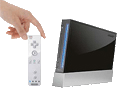
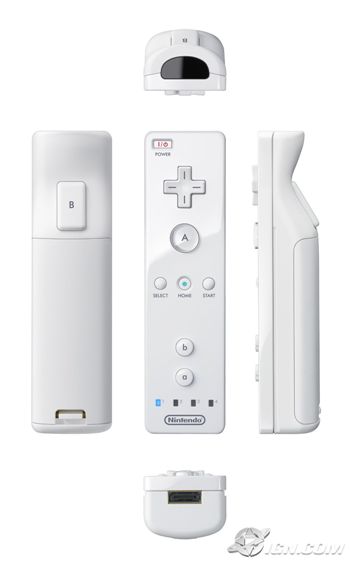
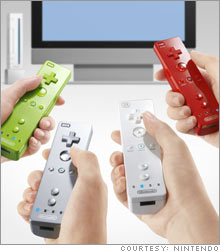
 One major difference is the controller looks like a remote control. It even has a power button to turn on the system wirelessly. The biggest change to gaming comes from the control. The remote detects tilt and distance. So if you're playing an airplane game, you simply tilt the controller in the direction you want. If you're playing a shooting game, you can move the controller towards the screen to zoom in and away to zoom out. And apparently if you point and shoot, the controller is quite accurate at shooting in the right spot.
IGN's list:
- 3D Pointing. Sensors understand up, down, left, right, forward and backward.
- Tilt Sensitive. Controller can be rotated or rolled from side-to-side.
- Buttons Included. Has a trigger on its backside, face buttons, and a D-Pad.
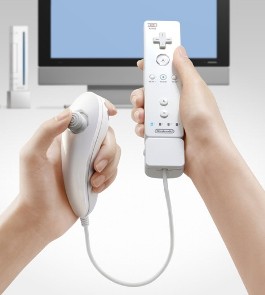
- Multifunctional. Has an expansion port which can be used with different types of controller peripherals. Analog stick with two trigger buttons planned for left hand.
- Wireless. Totally wire-free. Currently there are no details on the max distance, source or power, or otherwise.
- Rumble Built-in. Included as a standard in all the controllers.
If you want to read other articles about it, look here (CNN), here (IGN), here (Macworld), and here (MSN). And there's video here (IGN).
Click here to jump to the comments
The D-Pad and A button are located near the top on the front. The B button is a trigger-style button on the underside. There are additional "a" and "b" buttons towards the bottom of the remote, so you could turn it sideways and use it as a classic original Nintendo controller. This will be useful because the console will allow you to download and play original Nintendo games.


Posted by: dave on Sep 16th, 2005 | 10:51am