




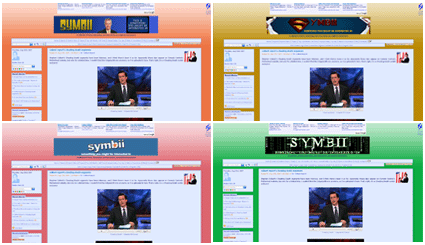
The same page with different background colors
You can find the color selection in the first box in the left-hand navigation. Basically you mouseover the colors to see what they look like, and when you're happy with what's set, you're done! I automatically store a cookie whenever you mouse over a color, so that color is saved for the future (on that computer). All subsequent pages you view will follow that color choice. And you can easily switch it again at any time by mousing over a different color. The default blue is the first box, in case you want to go back to the original look. Or mouseover the white box to view the site naked. Looking at it now, I can't see how I ever had a site with a plain white background. But maybe someone will like it.
This was just a first pass, so let me know if you think one of the choices is fugly or if you want a choice that's not there now and I'll make it happen.
And no, the boxes/content panes themselves are not customizable. They will stay light blue regardless of your color choice, because I don't want to worry about a whole bunch of issues with making sure fonts, highlights, bullets, blockquotes, spoilers, etc. look correct in different colors. It took me long enough to get this color scheme looking the way I want :)
Update: I had a couple of cookie issues because I was being hasty in making the change. It was actually beneficial because I ended up making the login and cookies more secure. So if you experience any flaky behavior with staying logged into the site, try deleting your cookies and logging in again. Due to the secure login you may have to login again one time anyways. After that you should have a secure cookie for future (automatic) logins on return visits.


Posted by: junosand on Aug 24th, 2007 | 3:07am